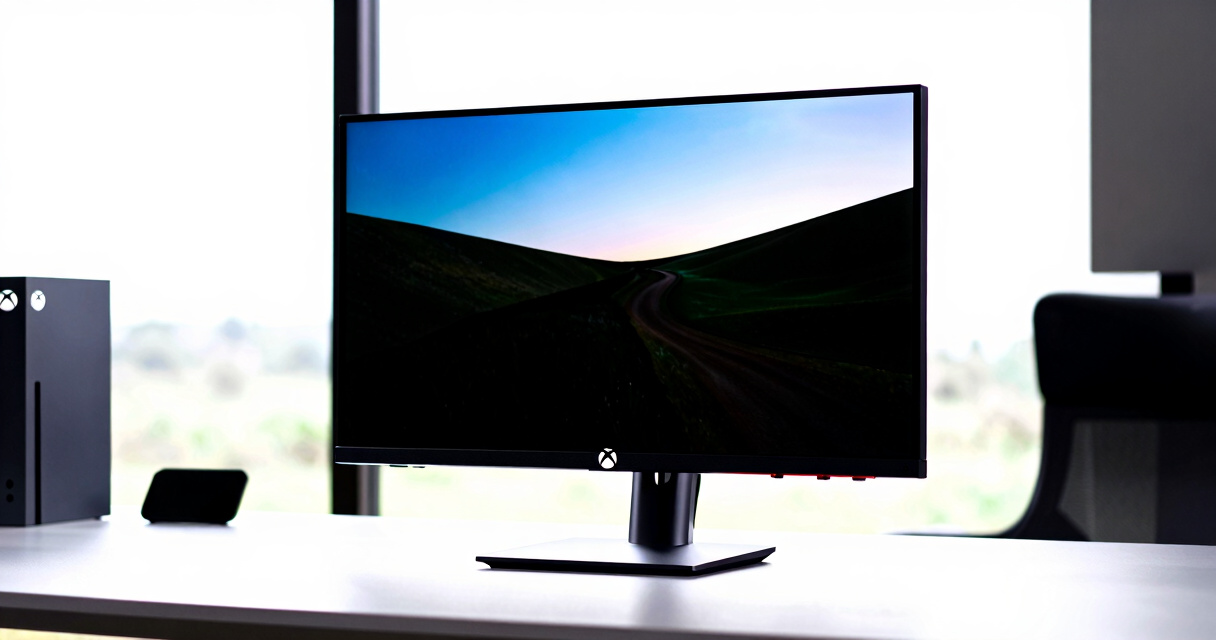

Choosing the best monitor for Xbox Series X 4K gaming involves balancing resolution, refresh rate, and compatibility features. The Gawfolk 27 Inch 4K Gaming Monitor stands out as the overall best for its high refresh rate and excellent color accuracy, ideal for fast-paced gaming. The ASUS ROG Strix XG27UCS offers premium HDR and USB-C connectivity for a more immersive experience. Meanwhile, the G-STORY Portable 4K Monitor provides flexibility for gaming on the go. The main tradeoffs in this category often involve resolution versus refresh rate and price versus features. Continue reading for a detailed breakdown of each option to find the best fit for your gaming setup.
Key Takeaways
- High refresh rates (144Hz or more) are increasingly standard and improve gameplay fluidity on 4K monitors.
- HDR support varies widely; higher-quality HDR enhances visual depth but often comes at a premium price.
- Size choice impacts immersion: larger screens (32 inches) are more immersive but may require more desk space and optimal viewing distance.
- USB-C and HDMI 2.1 are vital for maximizing compatibility with Xbox Series X features like 4K at 120Hz.
- Portability options are limited but valuable for gamers who want to play on different setups or locations.


More Details on Our Top Picks
Gawfolk 27 Inch 4K Gaming Monitor 160Hz, IPS, UHD 3840×2160, Freesync, HDMI 2.1, DP 1.4, Wall Mount Compatible
This monitor stands out for combining a 160Hz refresh rate with a vivid 4K IPS panel, making it an excellent choice for gamers seeking smooth visuals without sacrificing image quality. Its 1ms response time minimizes motion blur, providing a competitive edge over lower-refresh-rate options like the ZZA 32-inch. Compared with the ASUS XG27UCS, it offers similar speed but adds more versatile connectivity options, including HDMI 2.1 and DisplayPort 1.4, perfect for next-gen consoles. However, its VESA mount compatibility is limited to 75mm, and it requires a powerful GPU to truly enjoy 4K@160Hz. The higher price reflects its premium features, making it suitable for serious gamers who want high performance without compromise.
Pros:- High 160Hz refresh rate with 1ms response time for smooth gameplay
- Vivid 4K UHD display with wide color gamut and IPS technology
- Multiple connectivity options including HDMI 2.1 and DisplayPort 1.4
- Adjustable tilt stand and VESA compatibility for ergonomic setup
Cons:- Limited VESA mount compatibility (75mm only)
- Requires a high-end GPU to fully utilize 4K@160Hz performance
- Price is higher compared to standard 1080p monitors
Best for: Gamers who prioritize both stunning visuals and high refresh rates, and have a capable GPU.
Not ideal for: Casual players or those with limited space, as its price and size may be overkill.
- Screen Size:27 inches
- Resolution:3840 x 2160 (4K UHD)
- Refresh Rate:160Hz
- Response Time:1ms
- Panel Type:IPS
- Interfaces:2x HDMI 2.1, 2x DP 1.4, Audio Out
Bottom line: Ideal for gamers demanding high refresh rates and stunning visuals on a capable gaming setup.
ZZA 32 Inch Curved 4K UHD Gaming Monitor with AMD FreeSync
The ZZA 32-inch curved monitor excels in delivering an immersive experience thanks to its 3000R curvature and vibrant 4K display. Its VA panel offers 100% sRGB coverage and HDR10 support, making it a compelling choice for content creators and viewers who want richer colors than what the Gawfolk provides. However, with a refresh rate of only 60Hz, it falls behind the Gawfolk in speed, making it less suitable for fast-paced gaming. Compared to the ASUS XG27UCS, it offers a larger screen and better color accuracy but at the expense of refresh rate. Its adjustable height and tilt help with ergonomic setup, but the absence of built-in speakers might limit multimedia convenience.
Pros:- Large 32-inch curved display for immersive viewing
- Vibrant colors with 100% sRGB and HDR10 support
- Supports AMD FreeSync and multiple connectivity options
- Adjustable height and tilt for ergonomic comfort
Cons:- Limited to 60Hz refresh rate, unsuitable for fast-paced gaming
- No built-in speakers or USB ports
- Brightness is modest at 230 cd/m²
Best for: Content creators or gamers seeking an immersive, vibrant 4K experience for casual or medium-paced gaming.
Not ideal for: Competitive gamers who need high refresh rates and ultra-smooth gameplay.
- Screen Size:32 inches
- Resolution:3840 x 2160 (4K UHD)
- Refresh Rate:60Hz
- Panel Type:VA
- Curvature:3000R
- Connectivity:HDMI 2.0, DP 1.4 x 2
Bottom line: Best suited for users prioritizing vivid visuals and immersion over high-speed gaming performance.
DEPGI 14-Inch 4K Portable Gaming Monitor with HDR10, FreeSync, HDMI, Remote Control
This 14-inch portable monitor offers a 4K HDR10 display with FreeSync, making it an excellent companion for gamers who want flexibility. Its lightweight design and built-in stereo speakers enable gaming anywhere, especially with consoles like Xbox Series S or Switch. While its 60Hz refresh rate limits it for fast-paced competitive play compared to larger, higher-refresh monitors, it excels in portability and quick setup. Its small size means it’s perfect for travel or mobile gaming, but the limited screen real estate isn’t ideal for extended gaming sessions or detailed multitasking. It’s a good choice for casual gaming and content consumption on the move, but not as primary display for serious gaming.
Pros:- High-resolution 4K HDR10 display for vivid visuals
- Lightweight and portable design for gaming on the move
- Multiple connectivity options including HDMI and stereo speakers
- Built-in remote control for convenience
Cons:- Limited to 60Hz refresh rate, not suited for fast-paced gaming
- Small screen size may not satisfy prolonged gaming sessions
- Requires external power source for optimal performance
Best for: Travelers or gamers who want a portable 4K display for casual gaming and media on the go.
Not ideal for: Hardcore competitive players needing ultra-smooth motion and larger screens.
- Display Size:14 inches
- Resolution:3840 x 2160 (4K UHD)
- Refresh Rate:60Hz
- HDR:Yes
- Connectivity:2 HDMI ports, 2 headphone jacks
- Weight:1.48 kg
Bottom line: Ideal for casual gamers seeking a portable 4K display for travel and media consumption.
28 Inch 4K UHD 144Hz Gaming Monitor with HDR400, FreeSync Premium, and Height Adjustment
The TS2700 offers a solid balance of resolution and speed, with a 28-inch 4K display and 144Hz refresh rate, making it a strong contender for gamers who want smooth visuals on a slightly larger screen than the Gawfolk. Its HDR400 support enhances color vibrancy, and FreeSync Premium reduces tearing, similar to the ASUS XG27UCS but with a more adjustable stand for ergonomic comfort. Its 3.3/5 rating hints at mixed reviews, possibly related to build quality or reliability. While not matching the 160Hz of the ASUS or Gawfolk, it provides a good compromise for gamers seeking speed and size without the premium price of the high-end options. Its VESA support and adjustable stand make it flexible for different setups.
Pros:- High 4K resolution with vibrant color coverage
- Fast 144Hz refresh rate and 1ms response time
- Supports FreeSync Premium and G-SYNC for tear-free gaming
- Adjustable stand and VESA compatibility for ergonomic setup
Cons:- Average customer rating indicates mixed experiences
- Bulky design may require substantial desk space
- Limited info on the quality of built-in speakers
Best for: Serious gamers who want a larger 4K display with high refresh rates and flexible ergonomics.
Not ideal for: Users who demand ultra-high-end build quality or are sensitive to mixed reviews.
- Screen Size:28 inches
- Resolution:3840 x 2160 (4K UHD)
- Refresh Rate:144Hz
- Response Time:1ms
- HDR:HDR400
- Connectivity:HDMI 2.1, DisplayPort 1.4
Bottom line: Best for those wanting a sizable 4K monitor with high refresh rates and flexible setup options for gaming and multimedia.
ASUS ROG Strix 27” 4K HDR400 USB-C Gaming Monitor (XG27UCS)
The ASUS ROG Strix XG27UCS makes a compelling case for high-end gaming with its 160Hz refresh rate, 1ms response time, and Fast IPS panel, delivering sharp visuals and rapid motion clarity. Its 130% sRGB coverage and DisplayHDR 400 support ensure vibrant, true-to-life colors that surpass many other monitors, including the Gawfolk. The inclusion of versatile ports like USB-C enhances connectivity with modern devices. However, its size of 27 inches and a potentially high price point mean it’s best suited for dedicated gamers who want premium performance and are willing to invest. The single HDMI port might be limiting for those with multiple devices, and some users may find it expensive compared to similar models.
Pros:- High 160Hz refresh rate with 1ms response time for smooth motion
- Vivid colors with 130% sRGB and HDR400 support
- Versatile connectivity including USB-C and multiple USB ports
- Fast IPS technology for sharp visuals and low motion blur
Cons:- Limited HDMI ports (only 1)
- High price compared to similar high-performance monitors
- Large size requires sufficient desk space
Best for: Professional or enthusiast gamers who demand top-tier visuals and versatile connectivity.
Not ideal for: Budget-conscious buyers or those with limited space, due to its premium features and size.
- Display Size:27 Inches
- Resolution:3840 x 2160 (4K UHD)
- Refresh Rate:160Hz
- Response Time:1ms
- Display Technology:Fast IPS
- HDR:DisplayHDR 400
Bottom line: Best suited for gamers seeking a premium, feature-rich 4K display with fast response times and vibrant colors.
Acer Nitro 27″ 4K UHD Gaming IPS Monitor with AMD FreeSync Premium, 160Hz Refresh Rate, 0.5ms Response Time
The Acer Nitro VG270K stands out for combining a 4K UHD IPS panel with an ultra-fast 0.5ms response time and a high refresh rate of 160Hz. Unlike the G-STORY 14″ Portable, which prioritizes portability over size and ergonomics, this monitor offers a sizeable 27-inch screen with vibrant visuals and smooth gameplay. While its HDR10 support and AMD FreeSync Premium enhance visual fluidity, its limited ergonomic adjustments mean it’s less suited for long gaming sessions or work setups. It’s best for gamers who want a dedicated, large, high-performance display but don’t need extensive tilt or height adjustments. The absence of built-in speakers is a minor drawback, especially compared to the CRUA 32-Inch Curved, which includes audio but sacrifices some responsiveness. Overall, this monitor suits high-end gaming setups where performance outweighs adjustability.
Pros:- High-resolution 4K UHD display with vibrant colors
- Ultra-fast 0.5ms response time ideal for gaming
- 160Hz refresh rate ensures smooth gameplay
- Seamless multi-monitor setup with zero-frame design
Cons:- Limited tilt and no height adjustment
- HDR performance varies with content
- No built-in speakers
Best for: Gamers seeking a large, high-refresh-rate 4K monitor with excellent color accuracy for immersive gameplay.
Not ideal for: Users who require extensive ergonomic adjustments or built-in audio for desktop comfort and convenience.
- Screen Size:27 inches
- Resolution:3840 x 2160 UHD
- Panel Type:IPS
- Refresh Rate:160Hz at 3840 x 2160, 320Hz at 1920 x 1080 (DFR)
- Response Time:Up to 0.5ms (G to G)
- HDR:HDR10
Bottom line: This monitor is perfect for serious gamers who prioritize speed, clarity, and large display size over ergonomic flexibility.
CRUA 32-Inch Curved 4K UHD Gaming Monitor with 160Hz Refresh Rate and AMD FreeSync
The CRUA 32-Inch Curved monitor offers a compelling combination of size, curve, and high refresh rate, making it an attractive choice for immersive gaming. Its 1500R curvature enhances the feeling of depth, unlike the flat Acer Nitro, providing a more engaging experience for titles that thrive on immersion. The 120% sRGB coverage and 3000:1 contrast ratio deliver vibrant, detailed visuals, surpassing the color fidelity of many competitors like the G-STORY portable. However, the limited stand adjustability and the requirement for wall mounting might inconvenience users who prefer flexible positioning. Its high brightness and contrast make it suitable for both gaming and multimedia content. This monitor is well-suited for gamers who want an expansive, curved display with excellent color and a high refresh rate, but it’s less ideal for those needing adjustable stands or desktop ergonomics.
Pros:- Immersive 1500R curved display enhances viewing experience
- High refresh rate of up to 160Hz for smooth gameplay
- Vibrant colors with 120% sRGB coverage
- Built-in speakers reduce desktop clutter
Cons:- Limited stand adjustability; requires wall mounting
- High brightness may increase power consumption
- Potentially less flexible for desktop setups
Best for: Gamers who want an immersive, large curved screen with vibrant visuals and fast refresh rates.
Not ideal for: Users who need flexible ergonomic adjustments or prefer a flat, more adjustable monitor for productivity.
- Screen Size:32 inches
- Resolution:3840 x 2160 (4K UHD)
- Curvature:1500R
- Refresh Rate:160Hz
- Color Gamut:120% sRGB
- Contrast Ratio:3000:1
Bottom line: This curved monitor is ideal for gamers seeking an immersive, colorful experience with fast performance, provided they can accommodate its mounting needs.
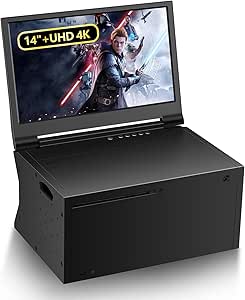
G-STORY 14” Portable 4K Gaming Monitor for Xbox Series X
The G-STORY 14-inch portable monitor is designed specifically for Xbox Series X and offers crisp 4K visuals in a compact, lightweight form. Its portability makes it a prime choice for gamers who want high-quality visuals while traveling or gaming in different locations. When compared to larger monitors like the Acer Nitro or CRUA, its smaller size limits the immersive experience but offers unparalleled convenience and versatility. The inclusion of HDR and FreeSync ensures smooth visuals, although its smaller screen size may not satisfy users craving a more expansive view. It’s best for gamers who prioritize mobility and multi-device compatibility, but it isn’t suitable as a primary desktop monitor for extended gaming sessions or productivity tasks due to its size.
Pros:- High-resolution 4K display with excellent clarity
- Designed for seamless Xbox Series X compatibility
- Versatile connectivity with two HDMI ports
- Supports HDR and FreeSync for smooth visuals
Cons:- Limited to 14-inch size, which may feel restrictive
- Requires separate purchase of Xbox Series X
- Features depend on connected device capabilities
Best for: Travelers and gamers who want a portable 4K display compatible with Xbox Series X and other devices.
Not ideal for: Desktop-centric gamers seeking a large, adjustable monitor for long gaming sessions or multitasking.
- Screen Size:14 inches
- Resolution:3840 x 2160 (4K UHD)
- Weight:4.13 pounds
- Dimensions:5 x 10 x 15 inches
- Refresh Rate:HDMI 1 supports 4K@30Hz, HDMI 2 supports 4K@60Hz
- Technology:IPS, HDR, FreeSync
Bottom line: This portable monitor is perfect for gamers needing high-quality visuals on the move, with some compromise on size and desktop flexibility.
How We Picked
These monitors were evaluated based on performance, including native resolution, refresh rate, and response time, ensuring smooth gameplay at 4K. Usability factors like input lag, connectivity options, and ergonomic features were prioritized to match gaming needs. Build quality and value for money also played key roles, with a focus on features that enhance the Xbox Series X experience. Products were ranked by how well they balance these factors, favoring those that deliver consistent 4K performance with high refresh rates and reliable compatibility, while also considering price and overall versatility.Factors to Consider When Choosing Best Monitor For Xbox Series X 4k
When selecting the best monitor for Xbox Series X 4K gaming, it’s important to consider several key factors that influence your gaming experience and long-term satisfaction. Beyond raw specs, understanding how these features translate into real-world use can help you avoid common pitfalls and make smarter choices. The right monitor should match your gaming style, space, and budget, offering a balance of performance, connectivity, and visual quality.Resolution and Refresh Rate
While 4K resolution is a must for crisp visuals, pairing it with a high refresh rate (at least 120Hz) is crucial for smooth gameplay. Monitors with higher refresh rates reduce motion blur and screen tearing, especially in fast-paced games. However, higher refresh rates often come with increased costs and can sometimes limit HDR capabilities or increase latency if not well-implemented. Buyers should ensure their gaming setup supports HDMI 2.1 for 4K at 120Hz, to fully leverage the Xbox Series X’s capabilities.
HDR Support
High Dynamic Range (HDR) can significantly improve visual depth and color vibrancy, making games more immersive. Not all HDR is equal; monitors with HDR400 or higher certifications tend to offer better contrast and color accuracy. However, true HDR performance requires a combination of good hardware and proper content, which means some budget monitors may advertise HDR but deliver weak results. For serious gamers, investing in a monitor with robust HDR support can be worthwhile, even if it increases the price.
Connectivity Options
For Xbox Series X, HDMI 2.1 compatibility is essential to achieve 4K at 120Hz without compromise. Some monitors also include USB-C or DisplayPort, which can be useful for other devices or future-proofing. Avoid monitors with outdated HDMI 2.0 ports if you want to fully utilize your console’s capabilities. Adequate port selection ensures you won’t need to upgrade your monitor prematurely and can connect other peripherals easily.
Size and Viewing Distance
The size of your monitor influences immersion and comfort. Larger screens (around 32 inches) provide a more cinematic experience but require a larger desk and a proper viewing distance to prevent eye strain. Smaller models (27 inches) are more space-efficient and easier to use in typical setups. Consider your space and how close you sit to the screen when choosing size, as a mismatch can diminish visual quality or cause discomfort over long gaming sessions.
Additional Features and Build Quality
Features like adjustable stands, VESA compatibility, and low input lag can enhance your gaming experience and reduce fatigue. Good build quality ensures durability and reliable long-term use. Some monitors include remote controls, built-in speakers, or customizable color profiles, which can add convenience. While these extras are not critical, they can improve overall usability, especially if you spend many hours gaming or want a more versatile setup.
Frequently Asked Questions
Can I use a 4K monitor for gaming at 120Hz with Xbox Series X?
Yes, but only if the monitor supports HDMI 2.1, which is necessary for 4K at 120Hz. Many recent monitors do include HDMI 2.1, allowing you to take full advantage of the Xbox Series X’s capabilities. Choosing a monitor with this feature ensures you get smooth, responsive gameplay without sacrificing resolution. Be aware that some monitors with HDMI 2.0 may only support 4K at 60Hz, limiting your experience to lower frame rates.
Is HDR important for a gaming monitor for Xbox Series X?
HDR can dramatically improve visual quality by adding depth, contrast, and vibrant colors to your games. Higher-grade HDR support (HDR400 or above) makes a noticeable difference in immersive titles. However, not all HDR implementations are equal—some cheaper monitors may overpromise without delivering meaningful benefits. If you primarily play visually rich games or want a more cinematic experience, prioritizing a monitor with strong HDR support is worthwhile, even if it costs more.
Should I prioritize size over refresh rate for Xbox gaming?
Choosing a larger screen enhances immersion but can impact responsiveness if the monitor’s refresh rate isn’t high enough. For fast-paced games, a 27-inch monitor with a 144Hz refresh rate often offers a better balance than a larger, lower-refresh alternative. Conversely, if you prefer a cinematic feel and play mostly slower-paced or story-driven titles, size may take precedence. Think about your space and typical gaming style to find the best size and refresh rate combo for your setup.
Are curved monitors better for Xbox Series X gaming?
Curved monitors can offer a more immersive experience by wrapping the visuals around your field of view, especially on larger screens. They also help reduce glare and reflections from ambient light. However, the benefits depend on the monitor’s size and curvature radius; not all curved monitors deliver a noticeable advantage. For competitive gaming or desk setups with limited space, flat screens might be more practical. Ultimately, curved screens are more about personal preference and space considerations.
Is a portable 4K monitor a good option for Xbox Series X?
Portable 4K monitors like the G-STORY model provide flexibility and convenience, making them ideal for gaming on the go or in different locations. They usually support HDMI input and are compact enough for travel. However, they often have smaller screens and may lack advanced features like high refresh rates or HDR support found in larger, dedicated gaming monitors. If portability is a priority, they are a good choice, but for dedicated gaming setups, larger models typically provide a better experience.