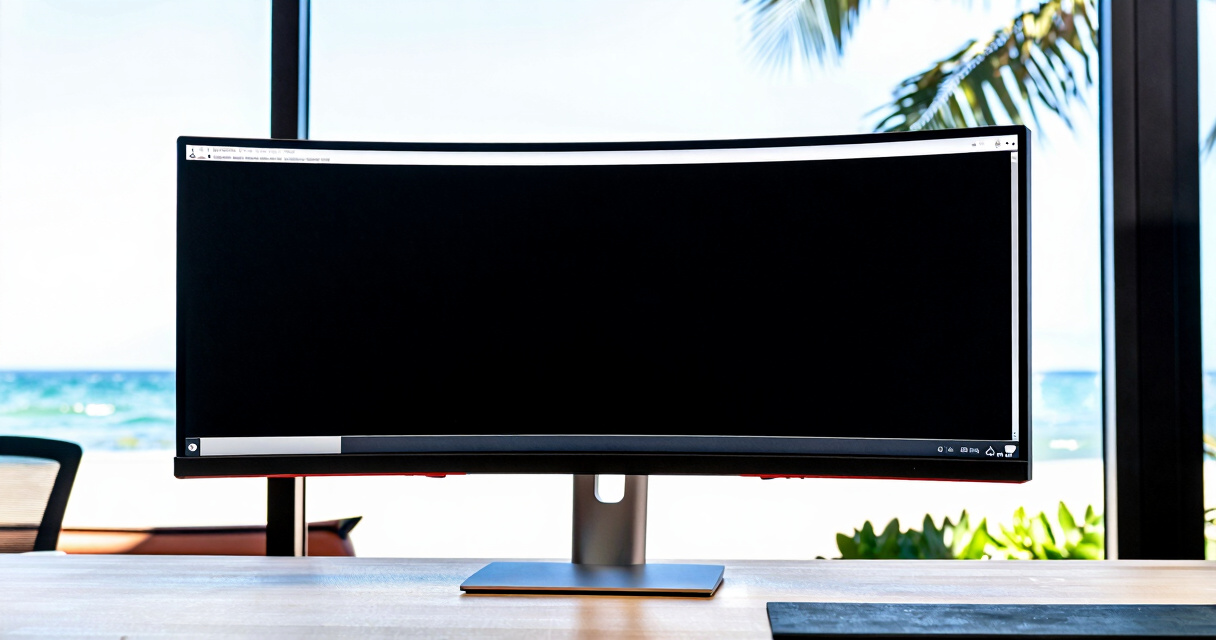

Choosing the right ultrawide monitor for trading involves balancing screen real estate, resolution, refresh rate, and ergonomics. The best overall pick, the SANSUI 34-Inch Curved Gaming Monitor, offers a great mix of size and performance for detailed multi-window setups. For those prioritizing ultra-large displays, the Samsung 49″ Odyssey G9 delivers expansive viewing, though it comes at a higher price. Meanwhile, the LG 34WR55QK-B provides a solid mid-range option with good ergonomics and color accuracy. The main tradeoffs in this category revolve around size versus desk space, resolution versus cost, and refresh rate versus visual clarity. Continue reading for the full breakdown of these top picks and how they compare for trading workflows.
Key Takeaways
- Size and curvature are vital for an immersive multi-screen experience, with larger and more curved models enhancing focus.
- Higher resolution, such as WQHD or DQHD, improves detail but can increase GPU load and cost.
- Refresh rates of 120Hz or higher benefit smooth visuals, especially when multitasking or using multiple windows.
- Color accuracy and ergonomics, including adjustable stands and flicker-free technology, significantly impact long-term comfort.
- Price varies widely; prioritizing features like HDR or ultra-wide aspect ratios should align with specific trading needs and desk space.




More Details on Our Top Picks
SANSUI 34-Inch Curved Gaming Monitor UWQHD 3440 x 1440, 165Hz, 1500R Curved, HDR, FreeSync, HDMI x2, DP1.4, 1ms MPRT
This SANSUI monitor excels in delivering a balanced experience for trading with its ultrawide 34-inch screen and fast 165Hz refresh rate, which benefits traders who need quick responses alongside ample screen real estate. Compared to the Alienware AW3425DWM, it offers a similar curved design but at a more accessible price point, though it sacrifices some features like VESA HDR certification. The 1500R curvature enhances peripheral awareness without causing distortion, making multitasking seamless. However, its stand only tilts, and it lacks built-in speakers, which could be inconveniences for some users. Overall, this model suits traders who want a large, vibrant display without high-end gaming extras.
Pros:- High refresh rate and 1ms response time for minimal lag
- Wide ultrawide screen with excellent color coverage
- Multiple input options including HDMI and DisplayPort
- Tilt-adjustable ergonomic stand
Cons:- No built-in speakers, requiring external audio setup
- Limited stand adjustability beyond tilt
Best for: Traders seeking a high-quality, versatile ultrawide monitor with good color coverage and fast response times.
Not ideal for: Those needing extensive ergonomic adjustments or built-in audio features for long trading sessions.
- Screen Size:34 inches
- Resolution:3440 x 1440 (UWQHD)
- Curvature:1500R
- Refresh Rate:165Hz
- Response Time:1ms MPRT
- Inputs:HDMI x2, DP1.4
Bottom line: This monitor is ideal for traders who prioritize a balanced mix of speed, size, and color accuracy without requiring extensive ergonomic features.
LG 34WR55QK-B 34-inch UltraWide WQHD Curved Monitor with Adjustable Stand
The LG 34WR55QK-B stands out for its practical ergonomic features and vibrant display, making it well-suited for traders who spend long hours managing multiple screens. Its 3440×1440 resolution and 21:9 aspect ratio rival the Samsung Odyssey G9 in size but with a more modest 100Hz refresh rate, which is still sufficient for trading tasks but less ideal for fast-paced gaming. The adjustable stand with height and tilt controls provides comfort, unlike the tilt-only stand of the SANSUI. While it lacks built-in speakers and has a slightly lower refresh rate, its USB-C connectivity with 65W power delivery simplifies desk setup. This monitor is a strong choice for those prioritizing comfort and connectivity over ultra-fast gaming specs.
Pros:- Adjustable height and tilt for ergonomic comfort
- Vivid HDR10 support and wide sRGB coverage
- USB Type-C with 65W power delivery for simplified setup
- Borderless 3-side design enhances visual immersion
Cons:- Lower refresh rate at 100Hz compared to gaming-focused monitors
- No built-in speakers, requiring external audio devices
Best for: Professional traders and multitaskers who value ergonomic flexibility and seamless connectivity.
Not ideal for: Gamers or users seeking extremely high refresh rates for rapid trading or gaming.
- Size:34 inches
- Resolution:3440 x 1440 WQHD
- Aspect Ratio:21:9
- Refresh Rate:100Hz
- HDR:HDR10
- Stand Adjustments:Height and tilt
Bottom line: This monitor makes sense for traders who prioritize ergonomic comfort and multiple connectivity options over ultra-high refresh rates.
Alienware 34 Curved Gaming Monitor – AW3425DWM – 34-inch WQHD 180Hz 1ms Display, 1500R, AMD FreeSync Premium, VESA AdaptiveSync
The Alienware AW3425DWM offers outstanding performance with a 180Hz refresh rate and 1ms response time, making it an exceptional choice for traders who also enjoy gaming. Its 3440×1440 resolution combined with a 1500R curvature creates an immersive experience that can boost focus and multitasking efficiency. The wide color coverage and VESA DisplayHDR 400 support add visual vibrancy, rivaling the Samsung Odyssey G9 in quality, but in a slightly smaller form factor. Its high-end specs come with a larger footprint and a premium price tag, which may limit its suitability for compact desks. This monitor is best for those who want a dual-purpose display that excels in speed, visuals, and immersive design.
Pros:- High 180Hz refresh rate and 1ms response time for smooth visuals
- Vibrant colors with wide DCI-P3 coverage and HDR support
- Supports AMD FreeSync Premium for tear-free gaming
- 1500R curvature for immersive viewing
Cons:- Large size may not fit in smaller setups
- High price limits accessibility for some users
Best for: Gamers and traders looking for a high-performance, immersive ultrawide monitor with excellent speed and color accuracy.
Not ideal for: Users with limited desk space or budget constraints, due to its size and cost.
- Screen Size:34 inches
- Resolution:3440 x 1440
- Refresh Rate:180Hz
- Response Time:1ms
- HDR:VESA DisplayHDR 400
- Color Coverage:DCI-P3 95%
Bottom line: This monitor is perfect for traders who want a high-speed, immersive display capable of dual-purpose gaming and work.
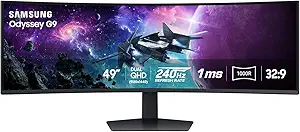
The Samsung Odyssey G9 pushes the boundaries with a 49-inch dual QHD curved screen offering an expansive panoramic view. Its 240Hz refresh rate and 1ms response time rival the best gaming monitors, making it suitable for traders who need to monitor multiple charts simultaneously. The 1000R curvature and DisplayHDR 1000 deliver vibrant, immersive visuals that can enhance focus, especially in high-stakes trading environments. Its extensive ergonomic adjustments and features like PBP and PIP are designed for multitasking. However, the enormous size demands a large desk and significant setup space, making it less suitable for smaller workspaces. This monitor is tailored for traders who desire a truly expansive, high-performance display and have ample room to accommodate it.
Pros:- Massive 49-inch dual QHD curved display for extensive multitasking
- High 240Hz refresh rate and 1ms response time for fluid visuals
- Stunning HDR1000 with high contrast ratio for vibrant imagery
- Multiple ergonomic adjustments and multitasking features
Cons:- Requires a large desk space and significant setup clearance
- High cost and power consumption
Best for: Large-scale traders or those managing multiple data streams who need maximum screen real estate.
Not ideal for: Small office setups or traders with limited space due to its size and high-end features.
- Screen Size:49 inches
- Resolution:5120 x 1440
- Curvature:1000R
- Refresh Rate:240Hz
- Response Time:1ms(GtG)
- HDR:DisplayHDR 1000
Bottom line: This monitor is best suited for traders who need a colossal, high-performance display and have the space to support it.
Sceptre 34-Inch Curved Ultrawide WQHD Monitor (3440 × 1440), 165Hz, DisplayPort x2, 99% sRGB, 1ms, Built-in Speakers, Black, 2025
The Sceptre 34-inch ultrawide monitor offers a compelling mix of performance and affordability, making it attractive for traders who want a large display without a premium price tag. Its 3440×1440 resolution and 165Hz refresh rate provide smooth visuals and clear detail, comparable to more expensive options like the LG 34WR55QK-B. The 1500R curvature enhances immersion, though it might be less suited for precision tasks compared to flat panels. Built-in speakers add convenience, but the high power requirement (240V) and large size could be downsides for some setups. Overall, this monitor balances quality and cost effectively, particularly for traders who need size and speed on a budget.
Pros:- Affordable price point for ultrawide performance
- Fast 165Hz refresh rate and 1ms response time reduce motion blur
- Built-in speakers and modern LED aesthetics
- High-resolution display for productivity and multitasking
Cons:- High power supply voltage requirement (240V) may limit compatibility
- Large size may require substantial desk space
Best for: Budget-conscious traders who want a large, fast ultrawide display with decent color coverage.
Not ideal for: Those needing extensive ergonomic adjustments or integrated high-end features like HDR or USB-C power delivery.
- Screen Size:34 inches
- Resolution:3440 x 1440
- Refresh Rate:165Hz
- Response Time:1ms
- Curvature:1500R
- Color Coverage:99% sRGB
Bottom line: This monitor suits traders who want a sizable, fast ultrawide display at a more accessible price point with some compromises on features.
CRUA 34” White Gaming Monitor, 165Hz/144Hz, WQHD (3440×1440), IPS UltraWide Screen, Supports FreeSync, 120% sRGB, HDMI 2.0 & DP 1.4, Wall Mountable
This CRUA 34-inch monitor excels in delivering vibrant, accurate colors thanks to its 120% sRGB coverage, making it ideal for content creators who need precise visuals. Its high refresh rate of up to 165Hz ensures smooth gameplay, surpassing the 100Hz of the Samsung ViewFinity S50GC, which is better suited for casual gaming and multitasking. The ultrawide 21:9 aspect ratio enhances workspace and immersion, but the HDMI bandwidth caps at 100Hz, limiting full refresh potential when using HDMI—something gamers will notice. The IPS panel provides wide viewing angles, though the stand’s limited adjustability can be a drawback for ergonomic customization. Large size and minimal stand adjustment mean it’s best for dedicated setups with ample desk space. This monitor is perfect for users prioritizing color fidelity and high refresh rates in a multitasking environment, but less so for those needing extensive ergonomic flexibility.
Pros:- Vivid, accurate colors with 120% sRGB coverage
- High refresh rate up to 165Hz for smooth gaming
- Ultrawide 21:9 aspect ratio enhances multitasking and immersion
- Wall-mount compatible for flexible placement
Cons:- HDMI supports only up to 100Hz, limiting full refresh rate on HDMI
- Large size requires significant desk space
- Limited stand adjustability can affect ergonomic comfort
Best for: Power users who combine gaming, content creation, and multitasking on a single large display
Not ideal for: Desk setups with limited space or users needing extensive ergonomic adjustments
- Screen Size:34 inches
- Resolution:3440 x 1440 pixels
- Refresh Rate:up to 165Hz
- Panel Type:IPS
- Color Gamut:120% sRGB
- Inputs:2 x HDMI 2.0, 1 x DisplayPort 1.4
- Wall Mount Compatibility:75x75mm
Bottom line: This monitor suits demanding multitaskers and gamers who prioritize color accuracy and smooth gameplay over extensive ergonomic adjustments.
Samsung 34″ ViewFinity S50GC Series Ultra-WQHD Monitor, 100Hz, HDR10, AMD FreeSync, Eye Care, Borderless, PIP, PBP, Black
Compared with the CRUA, the Samsung ViewFinity S50GC emphasizes a sleek, borderless design and eye care features, making it a strong choice for professionals who spend long hours at their desks. Its HDR10 support and over a billion colors provide rich, vibrant visuals suitable for detailed work, but the 100Hz refresh rate is less ideal for high-end gaming—more suited to productivity and media consumption. The monitor’s 3440×1440 resolution offers ample workspace, similar to the CRUA, yet its higher contrast ratio of 3000:1 enhances depth and detail. The limited stand adjustments and larger footprint could be problematic for small workspaces. It’s best for users who value color fidelity, eye comfort, and multitasking features over gaming performance or extensive ergonomic flexibility.
Pros:- Supports HDR10 with over a billion colors for vibrant images
- Excellent for long hours thanks to eye care features
- Borderless design maximizes visual immersion
- Multiple input options and PIP/PBP modes boost productivity
Cons:- Limited to 100Hz, less suitable for competitive gaming
- Size may be too large for small desks
- Stand offers minimal ergonomic adjustments
Best for: Creative professionals and office workers prioritizing color accuracy and eye comfort
Not ideal for: Gamers seeking high refresh rates or users with compact desk setups
- Screen Size:34 inches
- Resolution:3440 x 1440 pixels
- Refresh Rate:100Hz
- Response Time:5ms
- HDR:HDR10
- Color Support:Over 1 billion colors
- Inputs:2 x HDMI 2.2, 1 x DisplayPort 1.2
Bottom line: This monitor is ideal for creative work and prolonged use, where color quality and eye comfort outweigh high refresh rates.
Amzfast 49 Inch Curved Ultrawide Gaming Monitor, 120Hz, DQHD 5120×1440, 1500R, 1ms MPRT, HDR, Adaptive Sync, Height Adjustable, HDMI 2.0/DP 1.4
The Amzfast 49-inch curved monitor offers an expansive dual QHD workspace, making it a compelling choice for those who want both gaming immersion and productivity. Its 120Hz refresh rate with adaptive sync helps prevent tearing during fast-paced gaming, a feature superior to the 100Hz of the Samsung for gamers. The deep 1500R curvature enhances immersion, but the large footprint and size mean it demands a substantial desk area, unlike the more compact CRUA or Samsung models. The 5120×1440 resolution provides excellent detail, though it doesn’t reach 4K resolution, which some users might prefer for certain professional applications. This pick is best for users who want a blend of gaming performance and large-scale multitasking, aware that its size and price might be limiting factors.
Pros:- Immersive 49-inch curved display for gaming and multitasking
- High 120Hz refresh rate with adaptive sync reduces tearing
- Multiple connectivity options and ergonomic adjustments
- Vibrant visuals with HDR support and wide color gamut
Cons:- Very large size requires significant desk space
- Not 4K resolution, which some professional users may prefer
- Higher price point may be a barrier for budget-conscious buyers
Best for: Gamers and multitaskers seeking an immersive, large display with flexible ergonomic options
Not ideal for: Small office setups or users wanting a more modest, space-efficient monitor
- Screen Size:49 inches
- Resolution:5120 x 1440 (Dual QHD)
- Curvature:1500R
- Refresh Rate:120Hz
- Response Time:1ms MPRT
- Color Gamut:120% sRGB
- Inputs:HDMI 2.0 x2, DisplayPort 1.4 x2
Bottom line: This monitor is best suited for those who need a large, immersive workspace that balances gaming and productivity, with the understanding of its size and cost.
How We Picked
These monitors were evaluated based on several key factors that matter most to traders: screen size and curvature for multi-window management, resolution for clarity, refresh rate for smoothness, build quality for durability, and ergonomic features for comfortable extended use. We also considered connectivity options, color accuracy, and value for money. Products were ranked by balancing these features with real-world tradeoffs, such as size versus desk space and cost versus performance. The top picks represent a range of budgets and use cases, ensuring there’s a suitable option for different trader profiles.Factors to Consider When Choosing Ultrawide Monitor For Trading
When selecting an ultrawide monitor for trading, understanding what features impact your workflow can help avoid costly mistakes. Size and curvature influence how many windows you can comfortably view simultaneously, while resolution affects the clarity of detailed charts and data. Refresh rate, often overlooked in trading, ensures smooth scrolling and minimizes motion blur during fast-paced updates. Ergonomics and build quality are also critical, as extended trading sessions demand comfortable and adjustable setups. Lastly, consider connectivity and compatibility with your existing hardware to make the most of your investment.Screen Size and Curvature
Size directly affects how many applications and data streams you can display without clutter. Larger monitors, like 34 or 49 inches, enable a more immersive experience, reducing the need for multiple monitors. Curvature enhances focus and reduces eye strain by matching the natural shape of your field of view, especially on wider screens. However, bigger and curved screens also require more desk space and may not fit well in smaller setups. Carefully measure your workspace to ensure your chosen monitor fits comfortably without overwhelming your desk.
Resolution and Visual Clarity
Higher resolutions, such as WQHD (3440×1440) or DQHD (5120×1440), make detailed charts and data more legible, reducing eye fatigue. Lower resolutions might save cost but can result in blurry text and icons, making it harder to interpret complex trading information. Keep in mind that higher resolutions demand more powerful graphics cards to drive the display smoothly. For traders working with intricate market data, investing in a higher-resolution screen can pay off in clarity and accuracy.
Refresh Rate and Smoothness
While not as critical as gaming, a higher refresh rate—such as 120Hz or 165Hz—can improve the fluidity of real-time data updates and scrolling through multiple windows. This reduces motion blur and jitter, making rapid changes easier to follow. However, higher refresh rates usually come with increased cost and power consumption. For most trading applications, 60Hz to 100Hz is typically sufficient, but those who multitask with fast-moving data may benefit from faster screens.
Ergonomics and Build Quality
Adjustable stands, height options, and swivel features help position the monitor at eye level, minimizing neck strain during long sessions. Flicker-free technology and anti-glare coatings also contribute to reduced eye fatigue. A sturdy build ensures longevity and safety, especially with large, heavy screens. Skipping ergonomic features might lead to discomfort over time, which can impact focus and productivity. Always verify that the monitor can be set up for your preferred viewing angle before purchase.
Connectivity and Compatibility
Multiple ports like HDMI, DisplayPort, and USB-C expand your options for connecting additional devices or docking stations. Compatibility with your GPU is essential to fully utilize high resolutions and refresh rates. Consider future upgrades—if you plan to add more peripherals or a more powerful graphics card, ensure your monitor has the necessary inputs. Also, check if the monitor supports features like daisy-chaining or USB hubs to streamline your workspace.
Frequently Asked Questions
Is a higher refresh rate necessary for trading?
For most trading activities, a standard 60Hz or 75Hz refresh rate is sufficient since the primary goal is clarity and data display rather than fast motion. However, if you often work with rapidly updating charts or multiple windows, a monitor with 120Hz or higher can make interactions feel smoother and reduce eye fatigue. It’s a tradeoff between cost and performance, so consider your specific workflow demands before opting for higher refresh rates.
How important is curvature on an ultrawide monitor for trading?
Curvature enhances immersion and reduces distortion at the edges, especially on very wide screens like 34 or 49 inches. For trading, this can help keep everything in your peripheral vision comfortably aligned, reducing eye strain during long sessions. However, highly curved monitors may be less suitable if you frequently switch between multiple monitors or have limited desk space. The choice depends on your workspace and preference for visual comfort.
Should I prioritize resolution or size for trading?
Both matter, but the best approach depends on your trading style and workspace. Larger screens provide more physical space for multiple windows, while higher resolution improves clarity and detail. For detailed chart analysis, a higher resolution might be more beneficial, but if you need to see multiple data streams simultaneously, a bigger screen could be more practical. Balancing both features within your budget ensures your setup meets your specific needs.
Are ultrawide monitors suitable for multi-monitor setups?
Ultrawide monitors can replace multiple traditional screens, creating a seamless workspace that reduces bezel distraction. They are often more space-efficient and can simplify cable management. However, some ultrawide models may not support all the functionalities of a multi-monitor setup, like independent resizing or positioning. It’s important to check if the monitor’s aspect ratio and connectivity align with your multi-screen workflow to avoid limitations.
Is HDR necessary for trading monitors?
HDR can improve contrast and color accuracy, making it easier to interpret charts and data visuals. However, many trading tasks prioritize clarity and sharpness over HDR features. If your monitor supports HDR and your GPU can deliver the content, it can enhance visual quality, but it is not a requirement. For most traders, a high-resolution, well-calibrated display with good contrast is more impactful than HDR support.
Conclusion
The best overall choice, the SANSUI 34-Inch Curved Gaming Monitor, offers a balanced mix of size, resolution, and performance suitable for most traders. Those seeking the best value might prefer the LG 34WR55QK-B, which combines affordability with essential features. For traders willing to invest more in premium quality, the Samsung Odyssey G9 provides an expansive, immersive experience, ideal for multi-window setups. Beginners or those with limited space should consider more compact models like the Sceptre 34-Inch. Ultimately, your selection depends on your workspace, budget, and specific trading needs—prioritize what aligns best with your workflow to maximize productivity.