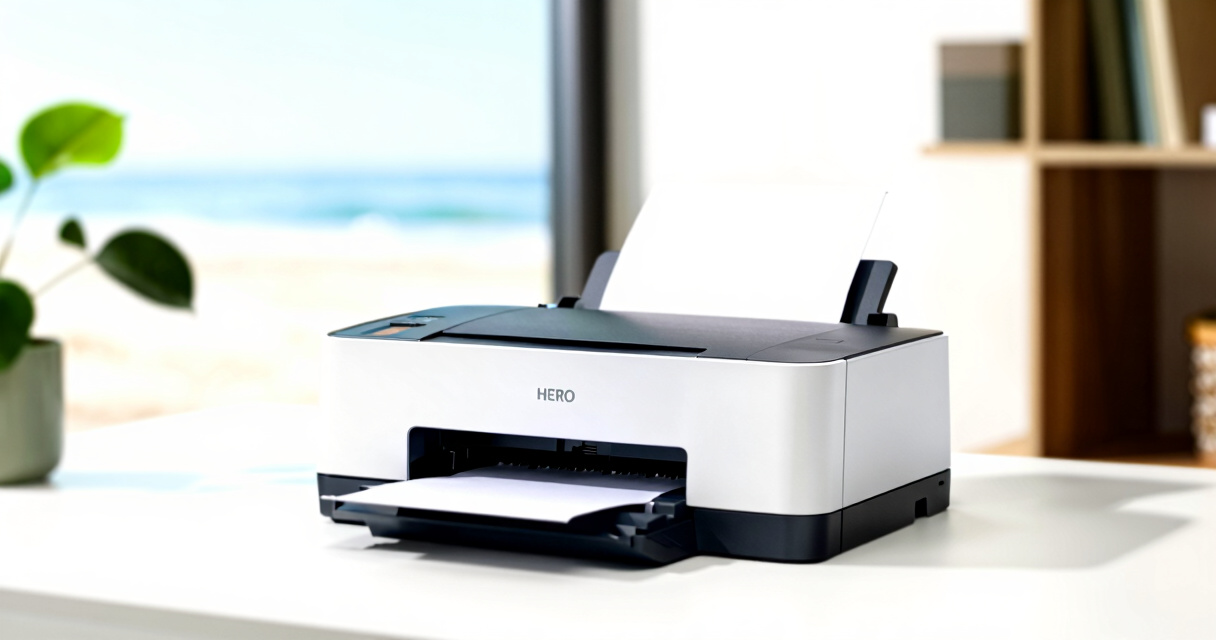

When selecting a color laser printer for a small business, key factors include print quality, speed, connectivity, and cost of operation. The HP Color LaserJet Pro MFP 3301sdw stands out as the best overall due to its versatile all-in-one features and reliable performance. The Brother MFC-L3720CDW offers excellent value with a compact design and multifunctionality, while the Brother HL-L8430CDW excels for higher-volume needs thanks to its faster speed and robust build. Buyers face tradeoffs mainly between upfront cost, ongoing toner expenses, and multifunction capabilities. Continue reading for a detailed comparison of these options and how to choose the best fit for your small business.

Get self-care favorites delivered free — and shop member deals
- Fast, free delivery on millions of items
- Access to Prime Big Deal Days deals on October 6–7
- Prime Video, Amazon Music and more included
Key Takeaways
- The best overall pick balances print quality, speed, and multifunction features, making it suitable for most small business needs.
- Cost per page and toner replacement frequency are critical for long-term savings, often outweighing initial purchase price.
- Wireless connectivity and mobile printing support are now standard, but some models offer more seamless integration with business workflows.
- Higher-volume printers tend to have faster speeds and larger toner cartridges, but they may be more expensive upfront.
- Choosing a model with security features can protect sensitive business documents, especially important for small businesses handling confidential info.



More Details on Our Top Picks
HP Color LaserJet Pro MFP 3301sdw Wireless All-in-One Color Laser Printer
This model makes the most sense for small office teams that need a reliable, all-in-one color laser printer with fast speeds and versatile functionality. Its 26 ppm print rate outpaces many competitors like the Canon LBP646Cdw, providing quick turnaround for busy environments. The inclusion of scanning and copying simplifies workflow, and auto duplex printing reduces paper waste. However, it relies on HP original toner with embedded chips, which can be costly over time, and firmware updates may restrict third-party cartridges, increasing long-term expenses. Compared with the Brother MFC-L3720CDW, it offers a more streamlined all-in-one experience but may lack advanced security features. Overall, it balances speed and multifunctionality for small teams prioritizing productivity and dependability.
Pros:- Fast color printing at 26 ppm for quick document turnaround
- All-in-one design includes scanning and copying capabilities
- Auto duplex printing reduces paper costs and waste
- Reliable performance suited for small office workflows
Cons:- Requires original HP toner cartridges with HP chips, which can be costly
- Limited to small team use, not ideal for high-volume needs
- Firmware updates may restrict third-party cartridges
Best for: Small business teams needing fast, all-in-one color printing with minimal fuss
Not ideal for: Solo entrepreneurs or home offices that don’t require high-volume or multifunction features
- Print Speed:26 ppm
- Functions:Print, Scan, Copy
- Duplex:Auto duplex printing
- Input Tray Capacity:250 sheets
- Connectivity:Wireless
- Toner Cartridges:HP 218A, 218X
Bottom line: This all-in-one printer is best suited for small teams that prioritize speed and multifunctionality but are mindful of toner costs and firmware limitations.
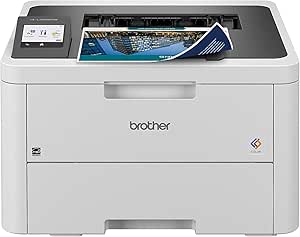
Brother MFC-L3720CDW Wireless Color Laser Printer with Scanner, Copier, and Fax
Compared with the HP 3301sdw, the Brother MFC-L3720CDW offers a more comprehensive feature set, including fax and a highly intuitive touchscreen, making it ideal for offices needing multiple communication options. Its 19 ppm speed is slightly slower but still efficient, especially with a 50-sheet automatic document feeder that streamlines scanning and copying large batches. The multiple connectivity options—Wi-Fi, USB, and Wi-Fi Direct—support flexible setups, but these features come at a higher price point, which might be prohibitive for very tight budgets. Setup can be complex for non-technical users, and toner replacement costs add to ongoing expenses. This pick suits offices that want a flexible, multifunction device with user-friendly controls despite a higher initial investment.
Pros:- Versatile with fax, scan, copy, and wireless connectivity
- Large 50-sheet automatic document feeder speeds up batch tasks
- 3.5-inch color touchscreen with shortcuts simplifies operation
- Supports cloud integration for seamless workflows
Cons:- Higher purchase price may not fit tight budgets
- Setup complexity can deter less tech-savvy users
- Toner replacement costs can be significant
Best for: Small offices requiring a multifunction device with fax, scanning, and advanced connectivity
Not ideal for: Budget-conscious startups or solo users who don’t need fax or multiple connectivity options
- Print Speed:19 ppm
- Paper Capacity:250 sheets
- Auto Document Feeder:50 sheets
- Connectivity:Wi-Fi, Wi-Fi Direct, USB
- Display:3.5-inch color touchscreen
- Additional Features:Fax, cloud support
Bottom line: This device is best for offices that need multifunction capabilities and flexible connectivity, accepting higher upfront and ongoing costs for efficiency.
Brother HL-L8430CDW Business Color Laser Printer with Wireless Networking
The Brother HL-L8430CDW stands out for its high-speed output of 33 ppm and expandable paper capacity, making it well-suited for busy environments with demanding printing needs. Its security features, like badge authentication and triple-layer security, are a step above most small business models, including the Canon LBP646Cdw. The initial cost might be high for smaller setups, and its large footprint could pose space issues. Setup can be complex for users unfamiliar with enterprise-grade features. Despite these tradeoffs, it offers eco-friendly options like ENERGY STAR certification, supporting cost-conscious offices aiming for sustainability. This printer is ideal for larger small businesses that require high-volume, secure printing without sacrificing speed.
Pros:- Fastest print speed at 33 ppm for high-volume jobs
- Expandable paper capacity up to 1,340 sheets
- Enhanced security with badge authentication and triple-layer security
- Eco-friendly features like ENERGY STAR certification
Cons:- High initial cost for smaller budgets
- Large footprint may require dedicated space
- Setup complexity for non-technical users
Best for: Growing small businesses needing secure, high-volume color printing
Not ideal for: Very tight spaces or small startups with limited budgets
- Print Speed:33 ppm
- Color Output:Yes
- Paper Capacity:250 sheets (expandable to 1,340)
- Connectivity:Wireless, mobile, NFC
- Security:Badge authentication, triple-layer security
- Included Toner:Black 3,000 pages, Color 1,800 pages
Bottom line: This model suits larger small offices focused on high-volume, secure printing and capable of accommodating its size and cost.
Canon Color imageCLASS LBP646Cdw Wireless Laser Printer for Duplex Printing, White – 26 PPM
Compared to the larger Brother and HP models, the Canon LBP646Cdw offers a sleek, compact design perfect for small or home offices that prioritize high-quality color output. Its 26 ppm speed is competitive, and the 5-inch LCD simplifies setup and operation. While it doesn’t include scanning or copying, its high-capacity toner ensures fewer replacements and consistent color quality for professional-looking documents. The absence of a touchscreen might be a drawback for users who prefer more interactive controls, and its limited feature set restricts use to printing only. However, its small size and reliable wireless setup make it an excellent choice for those with space constraints who need sharp color output for presentations and client-facing materials.
Pros:- Fast printing speed of 26 ppm in color and monochrome
- Compact size ideal for small spaces
- High-capacity toner for fewer replacements
- Wireless setup and mobile printing support
Cons:- Limited to printing, no scanning or copying
- No touchscreen interface, only LCD screen
- Basic controls may be less intuitive for some users
Best for: Small or home offices needing high-quality, color-only printing in a compact footprint
Not ideal for: Offices requiring scanning, copying, or multifunction capabilities
- Printer Type:Laser
- Color:Color
- Wireless:Yes
- Print Speed:26 ppm
- First Print Time:10.3 seconds
- Display:5-inch LCD
Bottom line: This printer is best for small or home offices that need high-quality color printing in a space-efficient design without extra multifunction features.
Brother HL-L3280CDW Wireless Color Laser Printer with Duplex and Mobile Printing
The Brother HL-L3280CDW offers a compact design paired with impressive speeds of up to 27 ppm, making it suitable for small offices that need reliable high-volume color printing. Its automatic duplex feature helps save paper, and compatibility with mobile printing apps like Google Drive and Dropbox supports flexible workflows. The 2.7-inch color touchscreen simplifies operation, but the requirement to enroll in a subscription service for certain features might deter some users. Setup could be complex for those unfamiliar with network printers, and ongoing toner costs are an aspect to consider. This model provides a good balance between size, speed, and connectivity for offices looking for a dependable, eco-conscious printer that fits in tight spaces.
Pros:- Quick print speeds of up to 27 ppm
- Automatic duplex printing reduces paper use
- Wireless and mobile compatibility for convenience
- Eco-friendly features like Eco Mode and Toner Save Mode
Cons:- Requires enrollment in subscription services for some features
- Setup may be complex for less tech-savvy users
- Limited to laser-quality printing only
Best for: Small or home offices needing fast, reliable, and space-efficient color printing
Not ideal for: Offices that prefer non-subscription models or require scanning and copying
- Print Speed:up to 27 ppm
- Connectivity:Wi-Fi, Ethernet, Mobile
- Duplex Printing:Automatic
- Supported Apps:Google Drive, Dropbox, EverNote
- Energy Star:Yes
- Warranty:1 year
Bottom line: This printer suits small offices seeking fast, space-efficient color printing with strong connectivity and eco features, accepting some setup complexity and subscription requirements.
Brother MFC-L8930CDW Business Color Laser All-in-One Printer with Duplex Print, Scan, Copy, Security, and Wireless Connectivity
The Brother MFC-L8930CDW stands out for its ability to handle demanding office workloads with impressive speed and reliability. Its 33 ppm print speed exceeds many competitors, making it ideal for busy environments that need quick turnaround times. The advanced security features, including triple-layer security and NFC card reader, make it a top choice for businesses prioritizing data protection. Unlike the HP Color LaserJet Pro MFP 3301sdw, which focuses more on ease of use, this model emphasizes security and high-volume capacity, though it may be overkill for smaller, less security-focused offices. Its large size and complex setup might be a hurdle for tight spaces or less tech-savvy users. The high-yield toner options help keep running costs manageable, especially for frequent printing. However, the initial setup can be daunting, and consistent internet connection is required for some features.
Pros:- Impressive print and scan speeds enhance productivity
- Robust security features including NFC and triple-layer security
- Flexible connectivity options support wireless and wired networks
- High-yield toner reduces frequent replacements
Cons:- Large physical footprint may not fit in compact offices
- Initial setup can be complex and time-consuming
- Internet connection needed for some advanced features
Best for: Small businesses with high print volume needs and security requirements, such as legal or financial offices.
Not ideal for: Very small offices or startups with limited space and lower security concerns, due to its size and complexity.
- Print Speed:up to 33 ppm
- Scan Speed:up to 104 ipm
- Auto Document Feeder:80 pages
- Touchscreen:7-inch color
- Connectivity:Wireless (dual-band), Gigabit Ethernet
- Security:Triple Layer Security, NFC card reader
- Toner Yield (standard):Black: 3,000 pages, Color: 1,800 pages
- Toner Yield (high yield):Black: 7,500 pages, Color: 6,500 pages
- Size:25% smaller than previous model
Bottom line: This model is best suited for security-focused small businesses with high-volume printing needs who can manage its size and setup complexity.
How We Picked
These printers were evaluated based on a combination of performance metrics, usability, build quality, and value. Priority was given to print speed, color accuracy, and multifunction capabilities, which are vital for busy small businesses. We also considered operational costs, connectivity options, and user reviews to gauge reliability and ease of use. The ranking reflects a balance between initial investment and ongoing expenses, aiming to recommend models that deliver the best overall value and functionality for small business environments.Factors to Consider When Choosing Color Laser Printer For Small Business
Choosing the right color laser printer for a small business involves weighing several key factors. Beyond just print quality, consider how the printer fits into your workflow, ongoing costs, and space constraints. Making a decision without considering these broader aspects can lead to higher expenses or productivity bottlenecks. The following sections highlight important considerations to help you make an informed choice.Print Speed and Volume Capacity
For small businesses with moderate to high printing demands, speed and capacity matter. A faster printer reduces wait times during busy periods, while a higher duty cycle ensures the machine can handle daily workloads without breakdowns. However, increased speed and capacity often come with higher upfront costs, so balancing these against your actual volume needs can prevent overspending.
Cost of Consumables and Total Operating Expenses
Many buyers focus on initial price but overlook ongoing costs like toner replacements and maintenance. Some models feature high-yield toner cartridges that lower cost per page, which is crucial for long-term savings. Ignoring these expenses can turn a seemingly affordable printer into a costly ongoing investment, especially if your business prints frequently.
Connectivity and Compatibility
Wireless and mobile printing features are now standard, but their ease of use varies. Look for models that support your existing devices and workflows, whether through Wi-Fi, Ethernet, or mobile apps. Compatibility issues can cause delays or frustration, so verify that the printer integrates smoothly with your business systems before purchasing.
Size, Design, and Space Requirements
Compact models are suitable for tight office spaces, but they may sacrifice throughput or multifunction features. Larger, all-in-one units offer more capabilities but require more room. Measure your workspace carefully and consider whether your small business needs a portable, space-saving device or a larger, more feature-rich machine.
Security and Management Features
Small businesses handling sensitive data should prioritize printers with security features such as user authentication, encrypted printing, and remote management. These capabilities help protect confidential information and prevent unauthorized access. Overlooking security can expose your business to data breaches and compliance issues.
Frequently Asked Questions
How does print speed affect my small business operations?
Print speed directly impacts how quickly documents are produced, especially during busy periods. Faster printers can handle larger workloads without causing delays, which keeps your team productive and reduces customer wait times. However, higher-speed models tend to be more expensive upfront, so consider your typical daily volume to find the right balance.
Are multifunction printers worth the extra cost for small businesses?
Multifunction printers combine printing, scanning, copying, and sometimes faxing, which can save space and streamline workflows. For small businesses that frequently need these features, investing in an all-in-one device often results in better efficiency and lower overall costs. But if your printing needs are minimal, a simpler model might be more cost-effective.
What should I prioritize: initial price or ongoing costs?
While a lower initial price can be tempting, ongoing expenses like toner, maintenance, and energy consumption often have a bigger impact on total cost of ownership. Opting for a slightly more expensive model with high-yield toner cartridges and efficient operation can save money over time and reduce downtime due to maintenance or toner shortages.
How important is wireless connectivity for small business printers?
Wireless connectivity offers flexibility, allowing multiple users to print from various devices without the hassle of cables. It also facilitates mobile printing, which can be a significant productivity boost. Ensure that the wireless setup is reliable and compatible with your existing network to avoid connection issues that could disrupt workflow.
Should I consider security features on my color laser printer?
Security features are increasingly important, especially if your small business handles sensitive or confidential information. Features like user authentication, encrypted printing, and remote management help safeguard your data from unauthorized access. Investing in a secure printer can prevent costly data breaches and ensure compliance with privacy regulations.
Conclusion
For small business owners seeking a reliable all-in-one solution, the HP Color LaserJet Pro MFP 3301sdw offers excellent balance of features and performance. Those prioritizing cost savings should consider the Brother MFC-L3720CDW for its affordability and multifunction capabilities. If volume and speed are critical, the Brother HL-L8430CDW provides robust performance with lower long-term costs. Beginners or small offices with limited space might prefer compact models like the Canon Color imageCLASS LBP646Cdw, while businesses needing advanced security should examine models like the Brother MFC-L8930CDW. Your choice depends on your specific needs—prioritize the features that align best with your workflow and budget. As an affiliate, we earn on qualifying purchases.Fall Picks
fall essentials