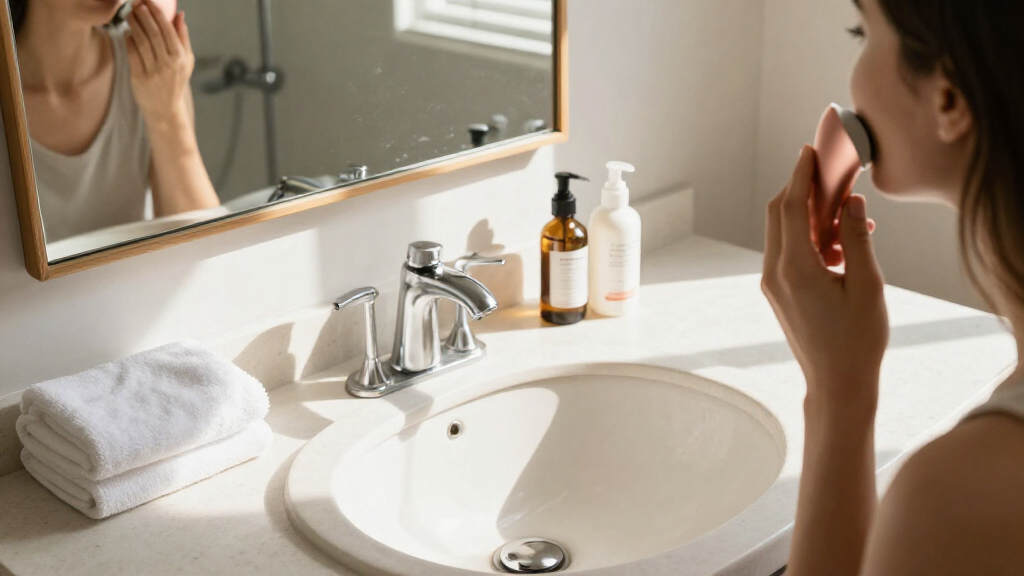
This guide helps women who are new to skincare devices choose one for a specific skin concern, check whether it is appropriate, and add it to a routine safely. You will learn how to prepare your skin, follow the device instructions, and judge whether it is working without overusing it. Allow 20-30 minutes to compare options and prepare; each session usually takes 5-15 minutes, depending on the device.

Get self-care favorites delivered free with Prime
- Fast, free delivery on millions of items
- Prime Video, Amazon Music and more included
- Member-only deals all year

medicube Booster Pro X2™ – 7 in 1 Glow Beauty Device, 2X Glow Care, Pink
- ✔ Modes: Seven, including Booster, MC, Derma Shot, and Air Shot
- ✔ Intensity: Six adjustable levels
- ✔ Mode combinations: Dual modes combine two modes at once

GS5 Electric Heated Gua Sha Tool, Red Light Face Massager, Pink
- ✔ Heat settings: Three; 91.4°F–118.4°F (33–48°C)
- ✔ Vibration settings: Three levels
- ✔ Light: Eight red-light beads, 620–640 nm

Facial Massager Face and Neck, Face Sculpting Wand Tool with 7 Color – White
- ✔ Operating modes: Three; functions not specified
- ✔ Light colors: Seven colors stated; functions and wavelengths not specified
- ✔ Head: Curved Arc massage head
Difficulty: Beginner | Time: 20-30 minutes to choose and prepare; 5-15 minutes per use
What You’ll Need
Tools & Materials:
- The device and its manufacturer’s instructions
- A gentle cleanser and clean towel
- Any compatible gel or serum specified by the manufacturer
- A timer, if the device does not have one
Knowledge:
- A basic understanding of your skin type and main concern
- The ability to follow the device’s warnings, settings, and cleaning directions
Skincare devices include cleansing brushes, LED light devices, microcurrent tools, and facial rollers. Their uses and safety limits differ. Check the exact model’s instructions before using it, and do not assume that a setting or product recommended for one device is suitable for another. If you are pregnant, have a medical implant, take medication that increases light sensitivity, have an active skin condition, or are unsure whether a device is safe for you, ask a healthcare professional before use.
medicube Booster Pro X2™ – 7 in 1 Glow Beauty Device, 2X Glow Care, Pink
The Booster Pro X2 is the strongest choice for shoppers who want several skincare-device functions in one routine. Its seven modes include Booster, MC, Derma Shot, and Air Shot, while six intensity levels allow adjustment. The listing also describes dual modes that combine two modes and app controls for sound, intensity, LED indication, and custom combinations. Compared with the GS5, which centers on heat and massage, this model offers a wider set of named care modes and more ways to configure a session.That range comes with extra decisions. Buyers who prefer a simple tool they can pick up without consulting modes or an app may find the medicube unnecessarily involved; the GS5 is more focused, and the seven-color massager lists just three operating modes. The app’s AI role is described as recommending routines based on skin condition and goals, but the description does not establish how those recommendations are validated. Its claims about enhanced performance and supporting glow, pores, skin definition, and radiance are the manufacturer’s descriptions, not a guarantee of results. This is our top pick for feature breadth, provided we want to learn its controls.
Pros:
- Seven modes for different stated skincare goals
- Six adjustable intensity levels
- Dual modes and app customization
- Includes a sheet-mask use mode
Cons:
- More settings may make the routine less simple
- AI recommendations and performance claims are not independently established by the listing
- Specific dimensions, battery details, and included accessories are not provided
Best for: We recommend it for buyers who want multiple named modes, adjustable intensity, and app-based routine customization in one device.
Not ideal for: Skip it if we want a basic massage tool, do not want app-connected controls, or prefer a device with a clearly described, single-purpose routine.
Bottom line: We rank the medicube first for its unusually broad, adjustable feature set, as long as we are comfortable with a more involved routine.
“We rank the medicube first for its unusually broad, adjustable feature set, as long as we are comfortable with a more involved routine.”
GS5 Electric Heated Gua Sha Tool, Red Light Face Massager, Pink
Where the medicube emphasizes selectable modes and app customization, the GS5 is built around a more tactile routine: a contoured gua sha-style head, gentle vibration, and adjustable warmth. It offers three heat settings from 91.4°F to 118.4°F and three vibration levels, plus eight red-light beads listed at 620–640 nm. Those controls give buyers a way to vary comfort, while the curved edges are intended to follow facial and neck contours. Its rechargeable design and stated 174 g weight also make it the most travel-ready option described here.The key limitation is explicit: the maker says the device is not recommended for sensitive or easily irritated skin. That caveat matters more than the extra settings if warmth, vibration, or massage tend to bother us. The product description suggests using it with serums, oils, or creams, but does not identify which formulas are appropriate for device use. Compared with the seven-color massager, the GS5 gives more concrete operating details; compared with the medicube, it offers a narrower massage-focused approach. We would choose it for soothing warmth and facial massage, not for a promise of contouring, lymphatic effects, or lasting skin changes.
Pros:
- Three heat and three vibration settings
- Eight red-light beads with a stated wavelength range
- Contoured head and ergonomic handle for face and neck use
- Compact 174 g design with USB-C charging
Cons:
- The maker advises against use on sensitive or easily irritated skin
- Battery life varies by settings, and effectiveness claims are not established by the description
- No detailed use schedule or compatible product guidance is supplied
Best for: We recommend it for shoppers who want a rechargeable face-and-neck massage tool with adjustable heat and vibration and whose skin tolerates those sensations.
Not ideal for: Skip it if we have sensitive or easily irritated skin, dislike heated tools, or want a device with clearly explained multi-mode skincare routines.
Bottom line: We place the GS5 second for its well-defined heated massage format, with skin sensitivity as a meaningful reason to choose another pick.
“We place the GS5 second for its well-defined heated massage format, with skin sensitivity as a meaningful reason to choose another pick.”
Facial Massager Face and Neck, Face Sculpting Wand Tool with 7 Color – White
The seven-color Facial Massager is the most straightforward-sounding pick: its curved Arc head is designed to glide over the face, and the product is described as rechargeable, compact, and easy to use. It has three operating modes and is intended for face and neck massage, including use with creams or lotions. If we want a smaller feature commitment than the medicube’s seven modes and app controls, this may feel more approachable. Its listing also includes a USB cable and user manual.However, the description leaves more unanswered than the other two. It does not name the three modes, explain what the seven colors do, provide intensity settings, or specify battery capacity and charging time. That makes it difficult to compare its operation with the GS5’s clearly stated heat and vibration levels or the medicube’s named modes. The curved shape and compact format may appeal to buyers who value easy handling, but the phrase “face sculpting” should not be read as evidence of a lasting change in facial shape. We rank this third because its simple positioning is attractive, while its sparse specifications make an informed choice harder.
Pros:
- Curved Arc head is designed to glide along facial contours
- Three operating modes
- Rechargeable and described as compact
- USB cable and user manual are listed as included
Cons:
- The three modes and seven colors are not explained
- Battery capacity, charging time, and weight are not provided
- The listing does not substantiate sculpting or lasting-results implications
Best for: We recommend it for buyers who want a compact, rechargeable face-and-neck massager and are comfortable with limited detail about its modes.
Not ideal for: Skip it if we need defined light functions, named settings, disclosed battery performance, or clear guidance on what each mode does.
Bottom line: We rank it third as a potentially simple face-and-neck option, but the missing mode and battery details make it harder to assess than its rivals.
“We rank it third as a potentially simple face-and-neck option, but the missing mode and battery details make it harder to assess than its rivals.”
As an Amazon Associate we earn from qualifying purchases.
Before You Start
Choose one device based on one clear goal, such as gentle cleansing or temporary facial massage. Avoid buying a device because it promises to fix several unrelated concerns. Check the return policy, replacement parts, and whether the device is intended for your skin tone and condition. Never use a device on broken, infected, sunburned, or irritated skin unless a qualified clinician has specifically advised you to do so.
Read the manual from start to finish before the first session. Note the permitted frequency, session length, products to use or avoid, and contraindications. Do not combine a new device with strong exfoliating acids, retinoids, or other new treatments in the same session until you know how your skin responds.
Step-by-Step Instructions
Step 1: Choose a device for one skin goal
Write down the concern you want to address, then compare devices designed for that purpose. For example, a cleansing brush is for cleansing, while an LED device uses specific light wavelengths and has its own exposure schedule. Check the product’s intended use, instructions, and safety information. Prefer a device with clear guidance on session length, frequency, cleaning, and replacement parts.
Tip:Be cautious of claims that a home device can diagnose or treat a medical skin condition. Devices vary in strength and evidence; a higher price or more settings does not guarantee a better fit.
Check: You can name the device’s intended purpose and explain how its instructions match your goal.
Step 2: Check safety and device condition
Review the manufacturer’s contraindications and compare them with your health, medications, and skin condition. Check the device, cable, attachments, and treatment surface for cracks, fraying, residue, or other damage. Charge it or connect it only as directed. Do not use it if a safety warning applies or if any part is damaged.
Tip:Ask a dermatologist or other qualified healthcare professional about use if you have a skin disorder, implanted electronic device, recent procedure, or medication-related sensitivity that may affect safe use.
Check: The device is undamaged, powered as directed, and its instructions do not list a warning that applies to you.
Step 3: Prepare your skin and work area
Wash your hands, tie back your hair, and clean the device contact surface as directed. Cleanse your face with a gentle cleanser and pat it dry unless the device instructions call for damp skin or a specific conductive gel. Remove makeup and any product that the manual says could interfere with use. Set out the required product and a timer before starting.
Tip:Do not substitute oils, creams, or household products for a required gel. A product that is not compatible may reduce contact or irritate your skin.
Check: Your face and hands are clean, the device surface is clean, and the required product is within reach.
Step 4: Test a low setting on a small area
If the manual permits a test area, start with the lowest recommended setting and treat a small area for the shortest instructed time. Follow the device’s contact and movement directions. Stop if you feel pain, burning, unusual heat, or strong discomfort. Check your skin during the next day for lasting redness, swelling, itching, or a rash before treating your full face.
Tip:A patch test can reveal irritation, but it cannot rule out every delayed reaction or device risk. Follow any specific test procedure in the manual.
Check: The test area has no persistent irritation or unexpected reaction, and you are comfortable proceeding under the manual’s directions.
Step 5: Use the device as instructed
Apply only the product specified for your device, then use the recommended setting, contact, direction, and session time. Work in the order shown in the manual, and keep the device away from the eyes, lips, thyroid area, or other restricted zones. Do not press harder, linger longer, or repeat passes to chase a stronger effect. Stop immediately if the device feels painful or your skin reacts unexpectedly.
Tip:Set a timer if needed. More frequent or longer sessions can irritate skin and may conflict with the device’s safety guidance.
Check: You completed one session within the stated time and frequency, without pain or a worsening skin reaction.
Step 6: Finish the session and observe your skin
Turn off and disconnect the device as directed. Remove any remaining gel or product if the manual calls for it, then apply a simple moisturizer. Use sunscreen during the day, especially if your device instructions advise sun protection. Note the date, setting, session length, and any skin response so you can compare later sessions.
Tip:Do not add several new products immediately after a device session. A simple finish makes it easier to spot what may be causing irritation.
Check: Your skin feels comfortable after the session, and you have recorded the settings and any response.
Step 7: Clean and store the device
Clean the device and detachable parts exactly as the manufacturer directs. Keep water away from parts that are not waterproof, and do not share a device that contacts skin unless the instructions allow it and it can be sanitized properly. Let it dry fully before storing it in a clean, dry place. Replace heads, filters, or other parts on the stated schedule.
Tip:Harsh cleaners, soaking, or wet storage can damage a device or leave residue that irritates skin.
Check: The device is clean, dry, intact, and stored with its charging or safety parts as directed.
Step 8: Set a cautious schedule
Follow the manufacturer’s maximum frequency and start at the least frequent schedule allowed for your device. Do not use it more often because you missed a session. Keep the rest of your routine stable for the first few weeks, and pause use if irritation develops. If the device does not produce the expected result after the recommended trial period, review its intended use and seek professional advice rather than increasing the intensity.
Tip:Take a photo in consistent lighting before beginning and at regular intervals. This can help distinguish gradual change from day-to-day variation.
Check: You have a realistic schedule that stays within the manual’s limits and a way to track comfort and results.
Common Mistakes to Avoid
- Using a device without checking its contraindications. — Read the model-specific warnings before the first session and consult a qualified professional if a health condition or medication may affect safety.
- Increasing intensity, pressure, or session length to get faster results. — Use only the settings and duration in the instructions; stop if the treatment hurts or causes an unexpected reaction.
- Combining the first device session with several new skincare products. — Keep your routine simple while you learn how your skin responds, and add other products at separate times.
- Skipping cleaning or storing the device while damp. — Clean every skin-contact surface as directed and let the device dry completely before storage.
Troubleshooting
Problem: Your skin stays red, stings, itches, or swells after use.
Solution: Stop using the device. Rinse off any product if appropriate, use a gentle routine, and avoid applying active treatments to the irritated area. Contact a healthcare professional if symptoms are severe, worsening, or persistent.
Problem: The device slips, drags, or does not maintain contact.
Solution: Check whether the manual specifies dry or damp skin and whether it requires a particular gel. Clean the treatment surface and use only the specified product; do not add an unapproved oil or cream.
Problem: The device will not turn on or loses power during a session.
Solution: Check the charge, cable, outlet, and lock or travel mode using the manual. Stop if the housing, cable, or charging port is damaged, and contact the manufacturer for service.
Problem: You see no change after several sessions.
Solution: Confirm that the device is intended for your concern and that you are following its schedule. Allow the stated trial period, track results in consistent lighting, and ask a dermatologist about persistent concerns.
What Success Looks Like
You have selected a device for a specific purpose, checked its warnings, and completed a session within its stated settings and time limits. Your skin remains comfortable, the device is clean and dry after use, and you have a schedule for future sessions. Judge results over the device’s recommended period rather than by immediate changes in appearance.
Next Steps
Continue only at the schedule listed in the manual, and record any irritation or changes between sessions. Keep the device instructions and replacement schedule with your skincare supplies. Pause use if your skin becomes irritated, and seek professional guidance for persistent symptoms or concerns the device is not designed to address.
Frequently Asked Questions
Can I use more than one skincare device in the same routine?
That depends on the devices and their instructions. When starting, use one device at a time so you can identify irritation and avoid overlapping exposure or treatments. Ask a dermatologist before combining devices if you have a skin condition or medical concern.
Should I use a skincare device before or after applying serum?
Follow the device manual. Some devices require clean, dry skin; others require a particular conductive gel or compatible product. Do not assume a serum is safe or suitable for use during treatment.
How often should I use my device?
Use the frequency stated for your exact model. Device schedules vary, and exceeding the limit can irritate skin. Do not make up missed sessions by using it more often.
Is redness after a session normal?
A brief mild response may be described in the device instructions, but persistent redness, pain, swelling, itching, or burning calls for stopping use. Seek medical advice if symptoms are severe or do not settle.
When should I replace a device attachment?
Replace heads, filters, or other parts at the interval given by the manufacturer, or sooner if they are damaged or cannot be cleaned properly. Use compatible replacement parts listed for your model.